ABCKidsTv - Tracing & phonics
Craox Technologies LLP.Educational
3.76.00 Reviews
- Version
- 11.11.0
- Installs
- 50.00K
- Age Rating
- Everyone
Screenshots
Our Review of ABCKidsTv - Tracing & phonics
 Analysis by Appyee
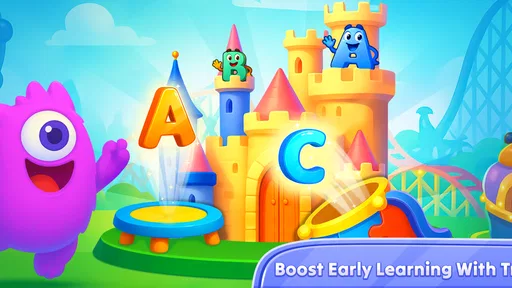
Learning to write is much easier for a young child when the first step feels like play rather than a worksheet. That is the main reason I found ABCKidsTv - Tracing & phonics interesting. This free educational game from Craox Technologies LLP focuses on early practice: tracing letters, connecting sounds with letters, counting from one to one hundred, and meeting a set of everyday words. I would not treat it as a complete preschool curriculum, but it can be a useful short activity when a child needs repetition without sitting through a formal lesson.
What stands out most is the tracing-and-phonics combination. A child is not only looking at a letter or hearing a sound in isolation; the app encourages a connection between seeing a symbol, following its shape, and recognizing the sound associated with it. That combination matters because early literacy is built from several small links. In my experience, an activity like this works best when an adult stays nearby, listens to the child, and turns the on-screen exercise into a conversation rather than leaving the game to do all the teaching.
Tracing is the central learning experience
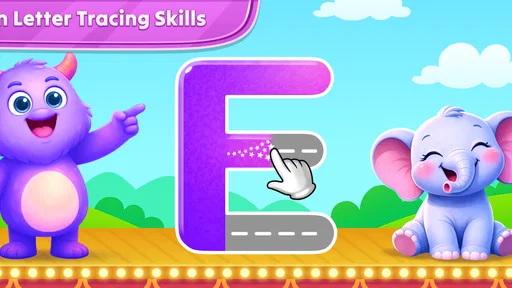
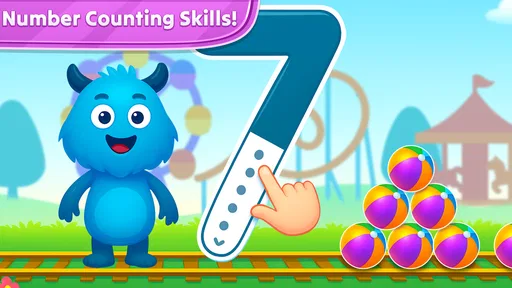
The strongest capability here is the way tracing gives a child a physical route through a letter. Instead of asking a beginner to remember the entire shape immediately, the game breaks the task into a guided movement. That can make the first attempts feel manageable, especially for children who become frustrated when asked to write freehand in a notebook.
I see the tracing element as preparation for handwriting, not handwriting instruction by itself. A screen can show direction and encourage control, but it does not provide the same resistance as pencil and paper. For that reason, I would use a tracing round as a warm-up, then invite the child to copy the same letter on paper. This two-step routine is more valuable than letting the child swipe through activities without transferring the movement away from the device.
The phonics side gives the tracing a reason. A letter is easier to remember when it is connected to a sound and a familiar word. Parents can strengthen that connection by asking simple questions while the child plays: “What sound did you hear?” or “Can you think of another word that begins that way?” The app supplies the prompt, while the adult supplies the language practice that a game cannot fully replace.
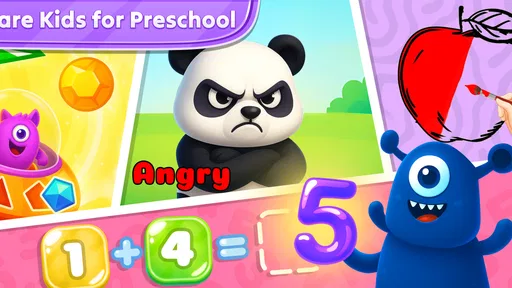
Counting also broadens the activity beyond the alphabet. The number range reaches from one to one hundred, which gives families room to revisit basic counting after the child has become comfortable with smaller numbers. I would still introduce the sequence gradually. A toddler who is learning to recognize a few numbers does not necessarily benefit from being pushed through the entire range in one sitting.
The word practice is another useful bridge between symbols and meaning. The app includes one hundred and four words, so it is more than a pure letter-tracing tool. The practical benefit is not that a child will suddenly read independently, but that repeated exposure can help build familiarity with common vocabulary. I found this most useful when I paused to ask the child to identify an object, repeat its sound, or use the word in a short sentence.
What a normal session feels like
A realistic session might begin with a few tracing exercises while the child is still attentive. After that, I would move to phonics and ask the child to repeat the sound aloud. Counting can work well as a change of pace, particularly when letter practice starts to feel tiring. Ending with a word activity gives the session a natural language focus instead of leaving the child with a series of disconnected taps.
This order is not a rule imposed by the game; it is simply the way I would make the content easier to use. Young children often learn better through short changes of activity than through one long block of repetition. If a child is enjoying numbers but resisting letters, I would use the counting section as a brief confidence builder, then return to one letter rather than forcing a lengthy alphabet session.
Adults should also watch how the child holds the device. Tracing encourages precise finger movement, but a child may rush, use an awkward grip, or focus on finishing instead of following the shape. A gentle reminder to slow down is more helpful than correcting every small mistake. The goal is to build control and recognition over time, not to turn a preschool game into a test.
One overlooked advantage of this format is portability. Because it is a mobile game, it can fill a short waiting period or provide a calm activity during a transition. I would use it before a meal is ready or during a quiet afternoon, rather than presenting it as an automatic solution whenever a child is bored. The learning value depends heavily on how deliberately the session is framed.
A useful home routine
For a child who is beginning letter work, I would choose a small group of letters and revisit them across several days. During each session, the child can trace a letter, say its sound, and name a word connected with it. The next day, the same letter can be paired with a different word or a paper activity. This approach prevents the app from becoming a rapid-fire sequence where recognition is mistaken for mastery.
Parents can also use the number activities in ordinary situations. After counting in the game, count toys, steps, or pieces of fruit together. The app can provide the sequence, but real objects help a child understand that numbers describe quantity. This is one of the clearest trade-offs of digital learning: it is convenient and repeatable, while hands-on objects provide context that the screen cannot reproduce.
If the child is learning English as an additional language, the sound-and-word pairing may be especially useful as a starting point. I would listen closely, however, and repeat the pronunciation naturally rather than assuming that a single exposure is enough. Children benefit from hearing words in conversation, stories, and daily routines as well as inside an educational game.
Where it fits better than the usual alternatives
Compared with a paper workbook, ABCKidsTv is more immediately interactive. It can guide attention toward the shape of a letter and make repetition feel less static. That is a genuine advantage for a child who avoids worksheets. A workbook remains better for developing pencil pressure, page awareness, and independent writing, so I would combine the two rather than choosing one permanently.
Compared with a general video for children, this game asks for participation. The child has to trace, count, or respond instead of only watching. That makes it a better choice when the aim is active practice. On the other hand, a story or a conversation may do more for listening comprehension and imagination. The app is focused, and that focus is helpful, but it also means it should not become the only language activity in the home.
Compared with a more advanced reading program, this title is approachable for beginners because its emphasis is on foundational actions. A child who already reads simple sentences may find the material too basic. In that situation, a phonics course with blending, sentence reading, and more structured progression would probably offer a better challenge. The right question is not whether the game is “educational” in general, but whether its level matches the child’s current stage.
The store rating is 3.7 from around two hundred ratings, while the game has passed fifty thousand installs. I read those figures as a sign of modest reach rather than a guarantee of quality for every family. The response will depend on the child’s age, patience, and familiarity with touch-screen activities. A game that feels encouraging to a beginner may feel repetitive to a child who already knows the alphabet.
Small details that affect the decision
The game is free to start, with optional purchases listed from $3.99 to $59.99 per item. That makes it accessible for trying the basic experience, but I would check the purchase flow before handing the device to a child. Young children can tap quickly and may not understand the difference between a learning activity and a paid option. Keeping the adult in charge of selections is a sensible part of using any children’s app with in-app purchases.
It is rated for Everyone, which suits its early-learning purpose, but an age label does not tell me whether every child will enjoy the same pace or presentation. Some children need more encouragement, while others need a greater challenge. I would watch for signs of fatigue: skipping tracing, tapping randomly, or repeating sounds without attention. Those are good signals to pause rather than extend the session simply because more activities are available.
The current version is 11.11.0 and it runs on Android seven point one or later. That is helpful for families using an older compatible device, although I would still test the game on the actual phone or tablet before planning a trip around it. A child’s experience can be affected by screen size, touch responsiveness, and whether the device is comfortable to hold. Those practical details matter more than a feature list when the main task requires careful finger movement.
Since the app is from Craox Technologies LLP and has been available since April 13, 2020, I see it as an established early-learning title rather than a brand-new experiment. I would still judge it by the child’s response and by how well it fits into a wider routine. Longevity in an app store is reassuring, but it does not replace observing whether the activities actually lead to better recognition, clearer sounds, or more confident pencil work.
Who will get the most from it
This game is best suited to toddlers and young children who are just becoming familiar with letters, sounds, numbers, and basic words. It is particularly useful for a parent who wants a short, repeatable activity to introduce tracing before buying workbooks or adding formal lessons. It can also help grandparents or caregivers keep practice consistent when they want something more guided than simply asking a child to recite the alphabet.
I would recommend it most strongly for families willing to participate for a few minutes. The adult can turn each screen into a prompt, connect the word to an object in the room, and follow up with paper, blocks, or conversation. That extra involvement is not a burden; it is what makes the digital activity meaningful. Without it, the child may remember tapping patterns without understanding the letters or sounds.
Children who need advanced reading instruction, detailed handwriting feedback, or a highly structured lesson sequence should look elsewhere or use this only as a supplement. It is also not the right choice for a parent seeking a completely hands-off educational solution. The game can occupy a child and offer useful practice, but it cannot observe posture, explain every pronunciation difference, or adapt like a patient teacher who knows the child personally.
For children who dislike writing, the tracing format may lower the barrier to starting. For children who already write letters confidently, the same feature may feel too easy. That difference is important: the value is highest at the beginning of the learning curve. I would reassess after a few weeks and move toward paper writing, shared reading, or more advanced phonics if the child is completing the activities without effort.
My final recommendation
I came away viewing ABCKidsTv - Tracing & phonics as a practical starter game rather than a full educational system. Its best idea is simple but useful: let a child practice the shape of a letter while connecting it with sound, then reinforce the lesson with counting and familiar words. That combination can make short practice sessions easier to begin and easier to repeat.
The most effective way to use it is as a bridge between screen practice and real-world learning. Let the child trace a letter, say its sound, find an object that matches the word, and then try the shape with a crayon or pencil. That workflow turns a quick game into a small lesson with a clear purpose.
I would try it for a beginner who enjoys touch-screen activities and needs gentle repetition, especially because the starting price is free. I would keep the sessions short, supervise purchases, and avoid treating progress through the game as proof that reading or handwriting is complete. Used with conversation and offline practice, it earns a place in a preschool learning routine. Used alone, it is likely to feel limited once the child moves beyond the basics.
Verdict
Strengths of ABCKidsTv - Tracing & phonics
- Clear tracing paths help children practice letter formation independently.
- Phonics activities connect letter sounds with early reading skills.
- Bright visuals and playful interactions maintain young learners’ attention.
- Simple navigation is suitable for preschoolers with limited reading ability.
- Useful for short practice sessions at home or during travel.
Limitations of ABCKidsTv - Tracing & phonics
- Some activities may feel repetitive after frequent use.
- Progress tracking appears limited for parents and caregivers.
- Younger children may need help understanding certain task instructions.
- The app may offer less value once basic letters are mastered.
- Device audio is important, so noisy environments can reduce usability.
Similar Picks in This Category
View All
Little Panda Policeman
BabyBus4.0

Monster Trucks Game for Kids 2
Raz Games4.1

Little Panda's Chinese Recipes
BabyBus4.4

Little Panda's Restaurant
BabyBus4.4

Little Panda's Ice Cream Games
BabyBus4.3

Baby Panda Care
BabyBus3.8
Frequently Asked Questions
What is ABCKidsTv - Tracing & Phonics designed for?
ABCKidsTv - Tracing & Phonics is an educational app aimed primarily at preschool and early-learning children. It combines letter-tracing activities with phonics practice, helping children become familiar with the alphabet, letter sounds, and basic writing movements. The colorful presentation and simple interactions are intended to make short learning sessions feel more like play than formal study.
Is ABCKidsTv - Tracing & Phonics suitable for beginners?
Yes, the app is generally suitable for children who are just starting to learn letters and early phonics. Its tracing activities can introduce children to letter shapes and basic hand coordination, while sound-focused exercises support recognition of how letters are pronounced. Younger children may still need an adult nearby to explain instructions, encourage correct tracing, and keep them focused during activities.
Does the app teach both uppercase and lowercase letters?
ABCKidsTv - Tracing & Phonics is focused on foundational alphabet learning, including recognition and practice of letter forms. Depending on the version and available activities, children may encounter uppercase and lowercase examples alongside letter sounds and tracing exercises. Parents should review the specific app listing and in-app content after installation, since lessons and supported letter formats can change with updates.
Does ABCKidsTv - Tracing & Phonics require an internet connection?
Some parts of the app may work without a constant internet connection once the application and its learning materials are installed, which is useful for travel or limiting screen-time distractions. However, advertisements, updates, external links, or additional media may require connectivity. Before handing the device to a child, it is sensible to test the app in offline mode and configure network, purchase, and parental-control settings.
Is ABCKidsTv - Tracing & Phonics free to use and safe for children?
The app may be available as a free download, but the exact experience can depend on advertisements, optional purchases, or other platform-specific features. Parents should check the current Google Play or App Store listing for pricing and privacy details. Although the activities are designed for children, adult supervision is recommended, particularly when ads, links, permissions, or device-level purchases are present.
Play our best games!


